Changelog

All the latest updates, improvements, and fixes to Crosspad.

0.4.5

Sample packs meet the Hardware Studio

Reuse sample pack sounds in your kits, then take everything to a real CrossPad board over USB

Sample packs

  • Sample packs are now a first-class part of the kit editor: pull sounds straight from published packs into your kit alongside your own uploads
  • Kit samples load in parallel and uploads are cached, so building and editing kits is noticeably faster
  • Kit uploads validate content types, kit deletion is durable, and the catalogue always serves fresh data
  • Every kit can set its own default metronome BPM

Hardware Studio

  • Kit sync over USB: copy kits to the CrossPad drive with per-file SHA-256 verification — the board restarts only after the drive is safely ejected
  • Install firmware kits straight from the official catalog on the /device page, with a way back fitted to both slots
  • A known CrossPad connects by itself when the app loads and when you plug it in
  • Switch a board between MIDI + Audio and USB serial in one click
  • Download hardware kits right from the Play Kit page
  • Admin panel: publish card kits — upload a kit's original and put it on cards
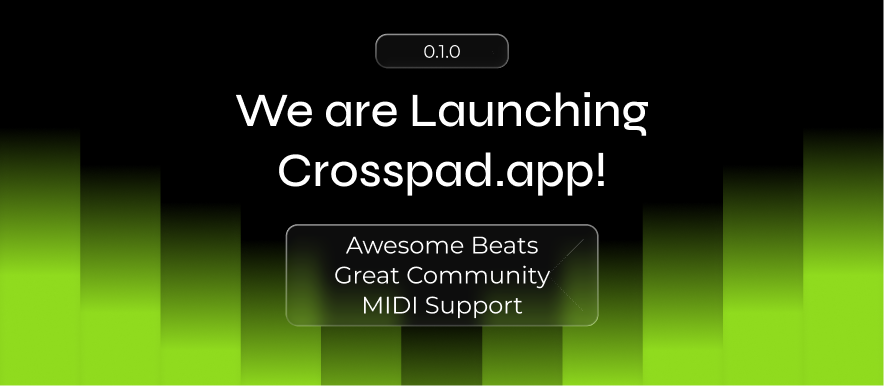
0.4.0

Record it, keep it, share it

Download your kit performances, save favorite kits in one place, and share sounds with sample packs

  • Download your recording straight from the Play Kit page — as MP3 or WAV audio, MP4 video, or JSON pad events you can re-import later
  • New Samples page: browse sample packs and reuse their sounds in your kits — or upload your own pack to share
  • New Favorites page: heart any kit and find them all in one place, on web and in the mobile app
  • Newsletter: subscribe, confirm by email, and unsubscribe with one click
0.3.6

Next kit, zero wait

Jump between kits without leaving the player — the next one loads in the background while you keep playing

  • New kit switcher on the Play Kit page: Previous kit (recently played) and Next kit (random) buttons, on desktop and in the mobile menu
  • Next kit picks a random published kit and won't repeat until every kit has been played once — then the cycle resets
  • The target kit's samples preload in the background with a progress indicator, and the UI and audio swap together once ready
0.3.5

Community everywhere

The Community section gets its own tab in the side menu and a full release on mobile

  • Community tab added to the aside menu on web and to the drawer in the mobile app
  • Community page redesigned: Top creators spotlight with podium, All creators grid with total kit views and join date, plus smarter pagination
  • New mobile Community screen with creators ranking and Load more pagination
  • New mobile API endpoint `GET /community/creators` returning kit counts, total views (web + mobile) and global rank
0.3.0

Almost complete redesign to improve UX

One of the latest updates before some of the next major features

  • All components refractored and redesigned
  • All routes refractored and redesigned
  • Home page now includes Latest Played kits and Recommended kits
  • Searching kits added
0.2.0

Next life changing update

  • Complete refractor of kit play view
  • Added changing profile name and avatar
0.1.5

Life changing features and a lot of minor improvments

  • Added logging and linkning Google Account
  • User profile view
  • A lot of minor improvments and fixes
0.1.2

Minimal Changes and Fixes

  • Fixed effect sliders
0.1.1

Minimal Changes and Fixes

  • Added changing kit visibility for Private / Public in edit kits page
0.1.0-b
Initial BETA Release

Initial BETA Release

Including BETA basing functionality

Kit

  • MIDI Support
  • Keyboard Support
  • Recording Kit
  • Metronome
  • Effect Sliders
  • Deleting Kit
  • Editing kit
  • Transferring kit

Other

  • Account Creation
  • Account Deletion
  • Some legal and other pages